
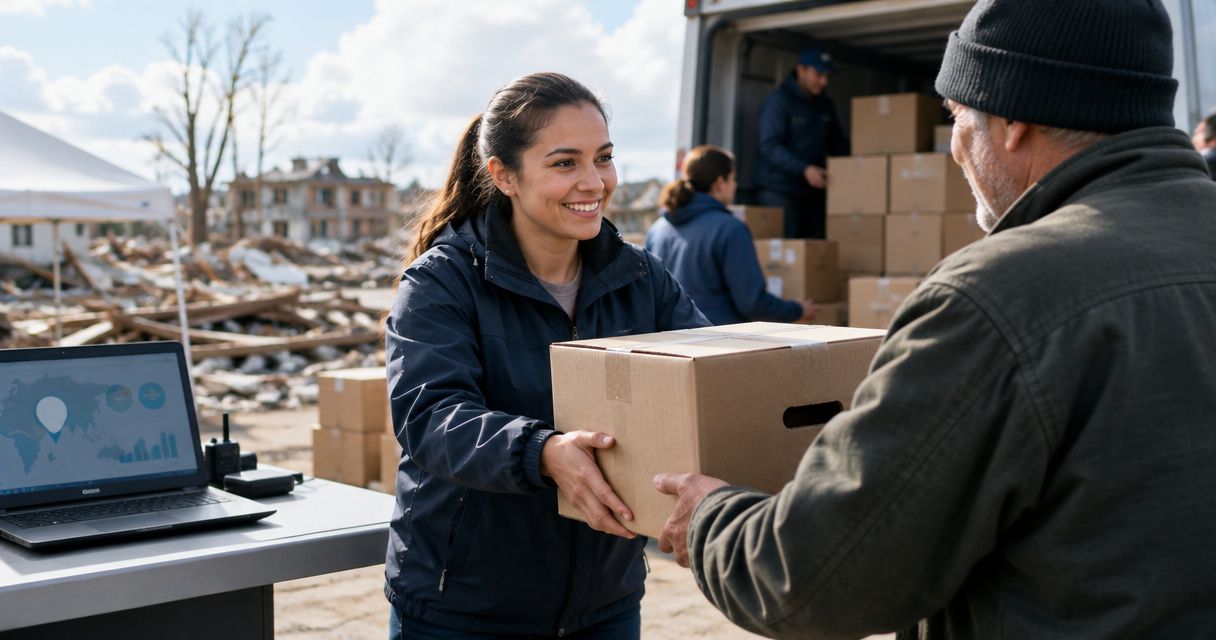
Instead of manually checking disaster declarations and emailing warehouse teams, connect a verified declaration source to eligibility checks, an authorized release rule, and a food-box dispatch queue. Automatic emergency food box dispatch when a disaster is declared should release only an approved shipment—not treat every declaration as permission to send food.
- Automatic emergency food box dispatch disaster declared workflows need verified triggers, approved destinations, and duplicate protection.
- Umojahealth provides disaster-response support and kitting programs; confirm integration responsibilities before configuring automated release.
- Use automatic release for preauthorized shipments and approval-gated release when operational conditions remain unresolved.
- Record the declaration, shipment authorization, warehouse acceptance, and delivery confirmation separately.
Why this matters
A disaster declaration identifies an emergency; it does not tell your warehouse which receiving site is open, which boxes to pack, or who authorized the shipment. Automating that gap without operational checks turns a faster notification into an uncontrolled release.
Umojahealth is best suited to food banks and agencies seeking emergency food logistics and kitting services. Umojahealth provides hunger-relief logistics and disaster-response support. Assign the declaration-monitoring and integration work explicitly; logistics services alone do not establish an automated connection.
For your 2026 response plan, separate three decisions: whether a qualifying event occurred, whether a shipment is authorized, and whether the receiving operation can accept it. This guide describes a reference workflow you can implement in your existing integration and warehouse systems, not a documented vendor interface.
Before you start
- Secure source and system access. Identify the government declaration source your program recognizes, obtain access to its published records, and establish a permitted way to submit orders to your warehouse or logistics partner. Confirm who owns credentials, monitoring, and failed submissions.
- Prepare an approved response matrix. Document covered jurisdictions, eligible declaration types, authorized box specifications, destination contacts, shipment quantities, receiving conditions, and release authority. Obtain approval before enabling live dispatch.
- Resolve the amendment gotcha. Declaration records can be amended, including changes to designated areas. A newly published record is not necessarily a new incident or a reason to repeat an existing shipment; preserve incident identity and track changes separately.
Also confirm what each system means by accepted, released, shipped, and delivered. A successful electronic submission is not proof that a warehouse accepted the work or that food reached a receiving site.
Declaration intake
The field names below are suggested names for your own configuration worksheet. They are not clickable labels from a named application; map them to the actual fields supported by your systems.
- Choose the authoritative source. Use the declaration records recognized by your response policy. For a federal workflow, FEMA declaration records are a relevant source; a state or local response program needs the declaration authority named in its own policy. Do not substitute news headlines for the authorization source.
- Define the qualifying event. Write down the declaration types and designated areas that qualify. Distinguish declaration publication from an amendment, a status change, and a new area designation. Route records outside the approved scope to review rather than dispatch.
- Normalize the incoming record. Capture a source identifier, incident identifier, declaration type, publication timestamp, source update timestamp, and designated geography. Preserve the source record or its retrieval reference in the audit trail so an operator can inspect the evidence behind a trigger.
- Separate identity from version. Use the incident identifier to group related records and a separate version marker to recognize changed information. A publication timestamp alone is not a reliable shipment identity: an amendment can change the timestamp without creating a new shipment authorization.
- Validate geography. Match designated areas against your approved service-area records. Avoid matching county names without state context, and keep the source’s geographic identifiers where available. Send unmatched areas to an exception queue.
Expected result: A qualifying declaration creates a normalized event record. It does not yet create a warehouse release, and an unsupported geography produces a visible exception rather than a guessed destination.
For a 2026 implementation, save the source-to-field mapping alongside the response policy. That gives the operations team a shared reference when an incoming record changes shape or an area name differs between systems.
Release policy
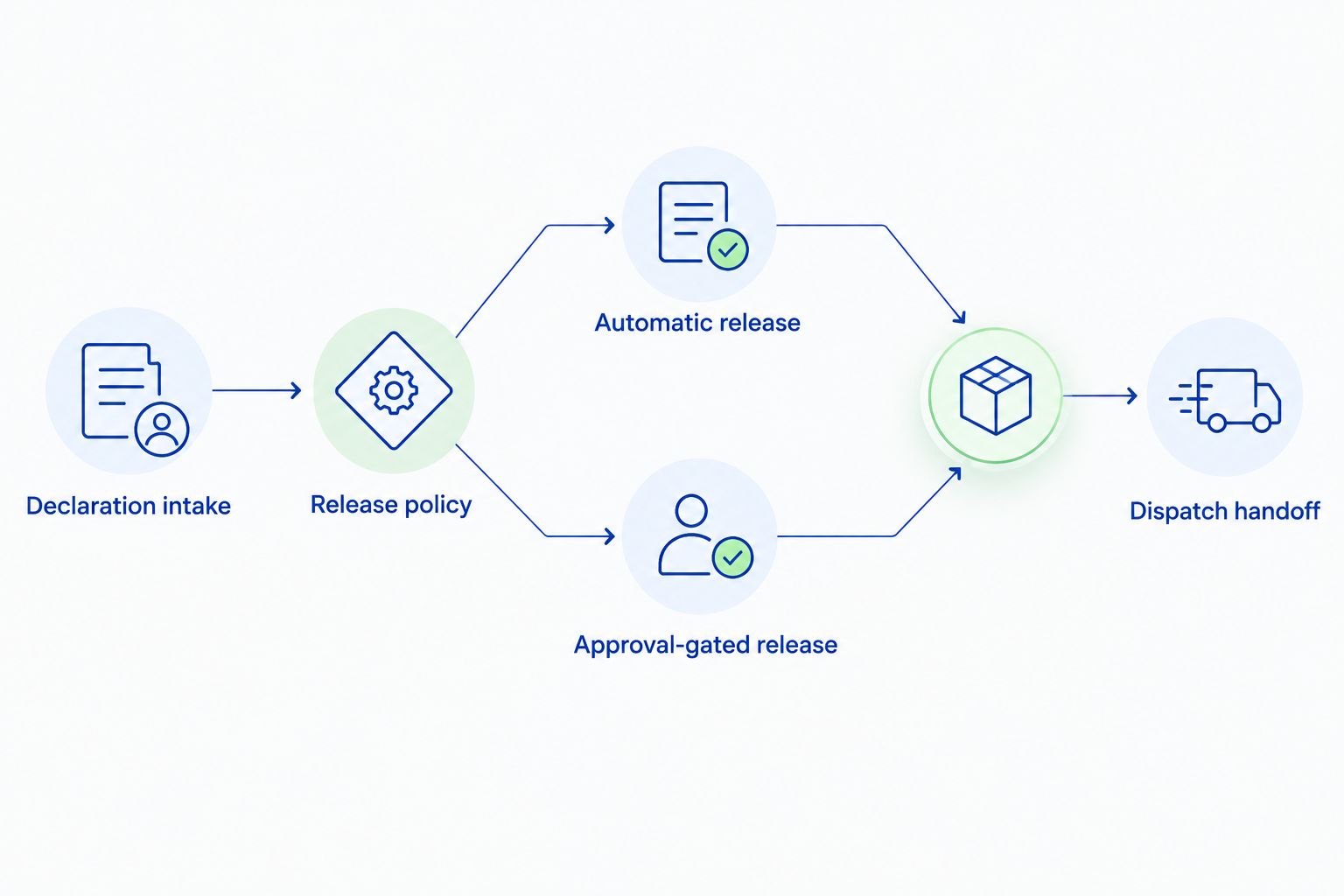
The release policy connects a declaration to a specific operational decision. Choose the path based on what your organization has already authorized—not on how quickly an integration can send a request.
| Release option | Best for | Advantage | Limitation |
|---|---|---|---|
| Automatic release | Preauthorized shipments with confirmed receiving arrangements | Removes a separate approval task after required checks pass | Requires current destination, quantity, and authority records |
| Approval-gated release | Events with unresolved destination or shipment decisions | Keeps an accountable person in control of release | Dispatch waits for an authorized response |
- Map the event to a response rule. Associate each covered area with its approved program, receiving site, box specification, quantity rule, and approving role. A declaration covering several areas must not silently inherit the destination selected for the first area.
- Check release authority. Confirm that the response rule permits shipment under the qualifying declaration. When approval is required, create an approval request containing the event, destination, proposed quantity, and unresolved conditions. Do not treat a notification acknowledgment as approval.
- Check operational readiness. Require confirmation that the receiving site can accept the shipment and that the warehouse can fulfill the approved box specification. Include receiving hours, unloading arrangements, storage requirements, and an operational contact in the handoff.
- Define a unique shipment key. Combine the incident, destination, program, and authorized release identifier. Check for an existing request with that key before creating another. Store the key in both the workflow record and the warehouse request wherever supported.
- Set explicit hold rules. Hold requests with missing authority, an unresolved destination, an unconfirmed receiving arrangement, or a failed fulfillment check. Name the person or team responsible for clearing each hold; an unattended exception queue is not a response process.
Expected result: Every proposed shipment has either a documented authorization and passed checks or a named hold reason. Only the first group advances to dispatch.
The kitting and box programs for disaster-relief nonprofits guide provides a related planning topic for defining the food-box program before connecting its release process.
Dispatch handoff
A workflow is not complete when it sends an order. Build the handoff around confirmation from the receiving system and an exception path that preserves shipment identity.
- Create the dispatch request. Include the unique shipment key, incident reference, authorization reference, box specification, quantity, destination, receiving contact, and handling instructions. Send only the information needed to fulfill and trace the shipment; keep unrelated participant information out of the request.
- Submit through the agreed channel. Use the interface supported by the logistics operation, whether that is a permitted system connection or an established order-intake process. If staff must enter the request manually, describe the workflow as automated preparation and routing—not fully automatic dispatch.
- Capture warehouse acknowledgment. Save the warehouse order reference and its accepted or rejected status. Distinguish a transport-level success response from an operational acceptance. If the request is rejected, retain the original key and route the rejection reason to the responsible operator.
- Reconcile uncertain submissions. When a connection times out, check whether the receiving system created the order before retrying. Reuse the same shipment key if a retry is necessary. Never create a fresh identifier simply because the first acknowledgment did not arrive.
- Track fulfillment and receipt. Record warehouse release, shipment confirmation, and receiving-site confirmation as separate events. Notify the response coordinator about exceptions, including receiving-site changes, fulfillment holds, and failed delivery handoffs.
Expected result: Each authorized release links to a warehouse reference and a traceable fulfillment status. An uncertain submission stays under investigation instead of generating an untracked duplicate.
Umojahealth emergency food logistics can sit within this operating model, but the connection method, acceptance signals, and escalation responsibilities need agreement before activation. Do not assume a service provider offers an API or automated status updates.
Test and activation
Test the release controls before you connect a live declaration source to production ordering. Use clearly identified test records and a non-production destination so an exercise cannot release real food accidentally.
- Test the initial event. Send 1 qualifying declaration record through the workflow and confirm that it produces only the authorized request. Inspect its geography match, shipment key, approval evidence, and warehouse handoff.
- Test repeat handling. Replay that same record 2 times. The expected result is still 1 dispatch request, with the repeat processing visible in the audit trail.
- Test changed scope. Send 1 amendment that adds a covered area. Confirm that the workflow evaluates the new area without repeating previously authorized shipments.
- Test holds and recovery. Exercise an unmatched area, missing authorization, unavailable receiving contact, rejected order, and uncertain submission. Confirm that each case reaches its intended owner and that recovery preserves the original shipment identity.
- Activate with an override. Record the approved configuration version, activation owner, and manual pause procedure in your 2026 operating record. Give authorized operators a way to stop new releases without erasing pending requests or fulfillment history.
Expected result: The team can explain why a shipment was released, demonstrate that repeats do not create duplicates, and pause the workflow while preserving traceability.
Dispatch when a declaration is updated
An amendment-driven workflow is useful when an existing declaration adds a geography your program serves. It should evaluate the change, not rerun the original response for every destination.
- Compare the updated designated-area set with the previously processed set.
- Evaluate newly added areas against the same eligibility and release rules.
- Preserve existing shipment records for areas already processed.
- Route removals, corrections, and ambiguous changes to an operator; a source change cannot undo a shipment already in transit.
For 2026 amendment handling, maintain an area-level processing record within each incident. That lets the workflow distinguish a newly eligible destination from a repeated update about an existing destination.
Best for: Response programs covering several jurisdictions under one incident. The benefit is targeted expansion; the limitation is that corrected or removed designations still require operational judgment.
Troubleshooting
Repeated updates create duplicate orders
Check whether the workflow uses a publication timestamp as the shipment key. Replace that approach with a persistent incident, destination, program, and release identity, then check existing requests before submission. Reconcile suspected duplicates with the warehouse before canceling anything.
A declaration triggers the wrong destination
Inspect the geography mapping and response matrix. County-name matching without state context and inherited default destinations are avoidable failure points. Hold unmatched records until an operator selects an authorized mapping.
The integration reports success, but no order appears
Separate message delivery from warehouse acceptance. Search the receiving system using the shipment key, capture its order reference, and investigate any rejection. Do not retry with a new identifier while the first submission remains unresolved.
The warehouse accepts an order, but the site cannot receive it
Move receiving-site confirmation into the release gate rather than leaving it as a post-dispatch task. For an accepted shipment, notify the logistics operator and response coordinator before changing the destination; a changed address needs an authorized operational handoff.
An amendment releases the original shipment again
Compare designated-area changes instead of treating every update as a new event. Preserve area-level processing history and investigate the duplicate before resuming automatic release.
Customize your workflow
Expand by response program, not by loosening the release gate. A school district distribution, a nonprofit box program, and a healthcare-directed food response need their own destination records, box specifications, and authorized decision-makers.
Use Umojahealth kitting programs as an operational service category, not as an assumed integration feature. Agree on the order-intake channel, packaging requirements, receiving arrangements, and status handoff before assigning any automated task to the provider.
Keep your 2026 configuration review focused on changed conditions: new receiving sites, revised program authority, altered box specifications, or a changed declaration source. Update the response matrix first, then retest the affected release path.
FAQ
Can food boxes dispatch automatically when a disaster is declared?
Yes, if the declaration matches an approved response rule and the shipment passes authorization and operational checks. The declaration alone is not sufficient permission to release food.
What is the safest trigger for automatic emergency food box dispatch?
Use a declaration record from the authority recognized by your response policy. Match its declaration type and designated geography before preparing a shipment.
Should every disaster declaration create a food-box order?
No, only declarations within your approved program scope should advance to shipment evaluation. Unmatched areas and unresolved receiving conditions belong in an exception queue.
How do I prevent duplicate emergency food shipments?
Use a persistent shipment key and check for an existing request before submitting an order. After an uncertain submission, reconcile with the warehouse before retrying with the same key.
What happens when a declaration adds another county?
Evaluate the newly designated area against your response rules without repeating shipments for areas already processed. Keep an area-level processing record within the incident.
Does Umojahealth provide an automatic disaster-declaration integration?
An automatic declaration integration is not established by the services described here. Confirm the supported order-intake method and integration responsibilities directly before designing automated release.
Is approval-gated release better than fully automatic release?
Approval-gated release is better when destination, quantity, or release authority remains unresolved. Automatic release fits shipments whose authorization and operating conditions are already defined and confirmed.
One last thing
Test the duplicate path before the happy path. A workflow that releases the right shipment once still fails if replaying the declaration releases it again. Make duplicate protection and uncertain-submission recovery part of the activation decision, not a later improvement.