
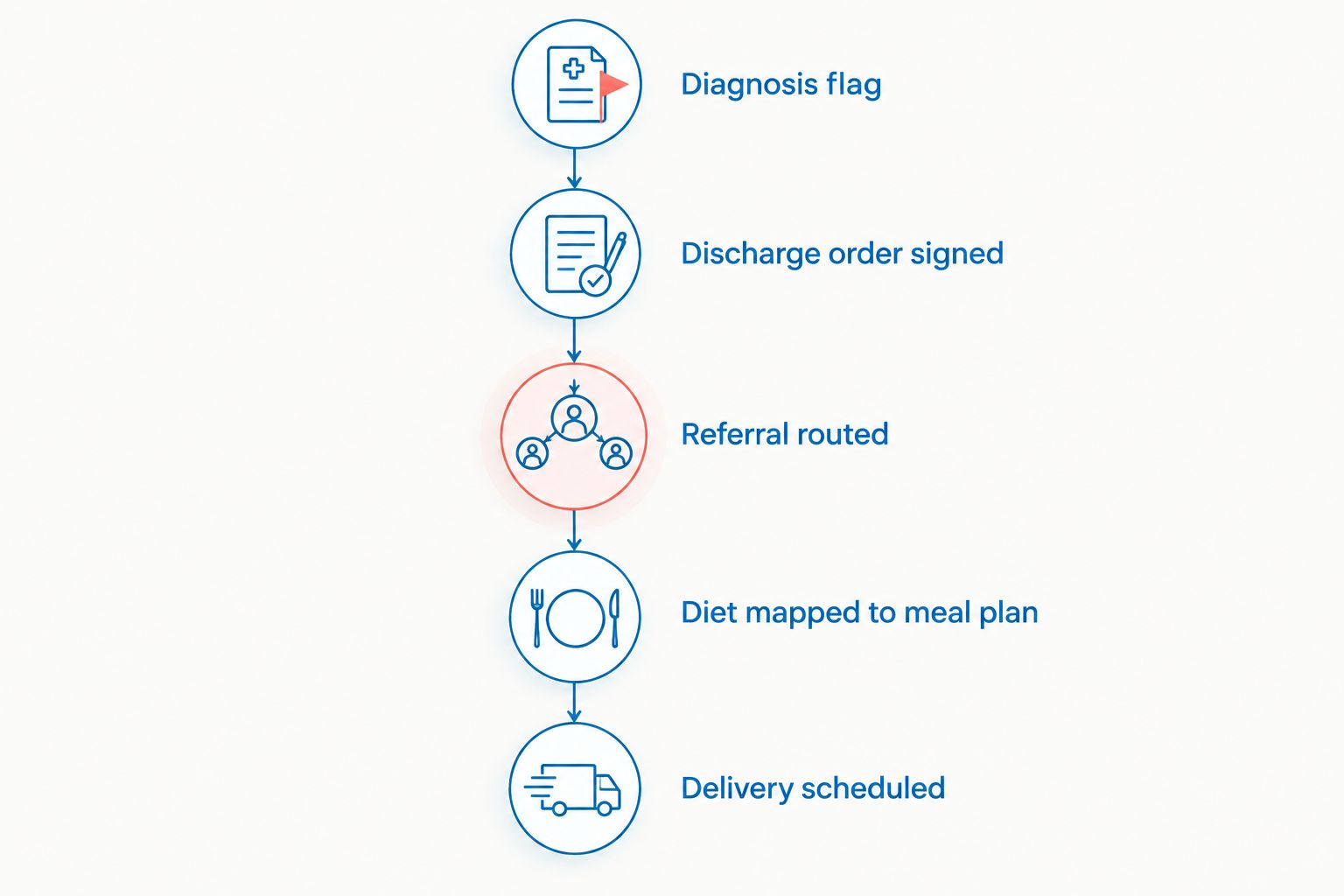
Faxing a medically tailored meal referral after a discharge order is signed adds a day or two to intake time that a patient recovering from heart failure or chemotherapy often doesn't have. Instead of re-keying diagnosis codes and diet orders into a separate referral form, build a trigger into your discharge workflow that fires the referral to Umoja Health the moment the discharge order is signed, so meals land within days instead of weeks.
- An automatic medically tailored meal order at hospital discharge fires off the EHR order set, not a separate after-visit step.
- Attach the trigger to specific diagnosis or diet codes agreed with your nutrition team — not 'all discharges.'
- Map diet orders to meal plan codes before go-live or referrals bounce back for clarification in 2026 pilots.
- A readmission-risk-score trigger catches patients a diagnosis code alone would miss.
- Verdict: build this at the order-set level for any discharge team handling more than a handful of referrals a week.
Why this matters
CMS data has long shown close to 1 in 5 Medicare patients readmitted within 30 days of discharge, and food insecurity is one of the social drivers case managers flag most often as a contributor. A manual referral process — fax, phone call, portal login after the visit ends — is the point where that referral gets dropped. An automatic medically tailored meal order attached to the discharge order itself removes the step a busy case manager is most likely to skip.
The mechanics aren't complicated. The complexity is making sure the trigger fires on the right codes, routes to the right intake queue, and maps to a meal plan your kitchen can actually fulfill. Get those three things wrong and you've automated a broken process faster.
Before you start
- Admin or super-user access to your EHR's order-set builder — Epic discharge navigator, Cerner PowerPlan, or your system's equivalent. Most hospitals need clinical informatics sign-off here, not just a department head's approval.
- A signed data-sharing or business associate agreement with Umoja Health before any protected health information moves through the referral, even during a pilot.
- The gotcha: if your order set fires on a diagnosis or diet code list broader than what the kitchen can cook to — a generic "renal diet" flag covering five different sodium and potassium restrictions, for instance — referrals bounce back for clarification and the whole automation stalls on your first patient. Finalize the code-to-meal-plan list with your nutrition team before you touch the order set builder.
Set up the discharge trigger in your EHR
- Open your discharge order set builder and add a new order item. Name it clearly — something like "Medically Tailored Meal Referral."
- Attach the trigger to the specific diagnosis or diet codes your nutrition team agreed on (CHF, CKD, diabetes, active oncology treatment) — not a blanket "all discharges" rule.
- Set the trigger to fire at order signing, not at bed assignment and not at discharge summary completion. Signing is the one event guaranteed to happen before the patient leaves the building.
- Run a test discharge in your EHR's sandbox environment with a qualifying diagnosis attached.
Expected result: the test discharge populates a referral record automatically, with no manual data entry from the case manager.
Configure the referral to Umoja Health
- Point the trigger's output field to the referral intake method you've set up — a secure fax queue, a dedicated email inbox, or a referral platform connection. The guide on connecting EHR food insecurity screening to meal referrals walks through the platform-connection option in detail.
- Include the required fields on every referral: patient name, diagnosis code, diet order, meal duration, delivery address, and a callback phone number.
- Build a confirmation loop — a status field that flips from "referral sent" to "referral received" once Umoja Health's intake team acknowledges it, so nothing sits in limbo.
Expected result: a referral generated by the test discharge in step one lands in the intake queue with every required field populated, no blanks.
Map diet orders to meal plans
- List every diet category your discharge population generates: cardiac, renal, diabetic, oncology, pediatric.
- Confirm each one maps one-to-one to a specific meal plan — not a generic "therapeutic diet" bucket that leaves the kitchen guessing.
- Flag any diagnosis code on your trigger list that doesn't have a matching meal plan yet, and either add the plan or remove the code from the trigger until it's resolved.
Expected result: every diagnosis code on your trigger list resolves to exactly one meal plan, with zero unmapped codes left in the list.
Confirm delivery routing and timing
- Confirm the delivery window Umoja Health's intake team quotes for your region before go-live, and set patient and family expectations to match.
- Add an address validation step so a bad or incomplete delivery address gets caught before the referral is marked complete, not after a failed delivery.
- Route the delivery confirmation back into the EHR or case management system as a visible status, so the discharge planner sees confirmed delivery in the chart without placing a phone call.
Trigger on readmission risk score instead of diagnosis
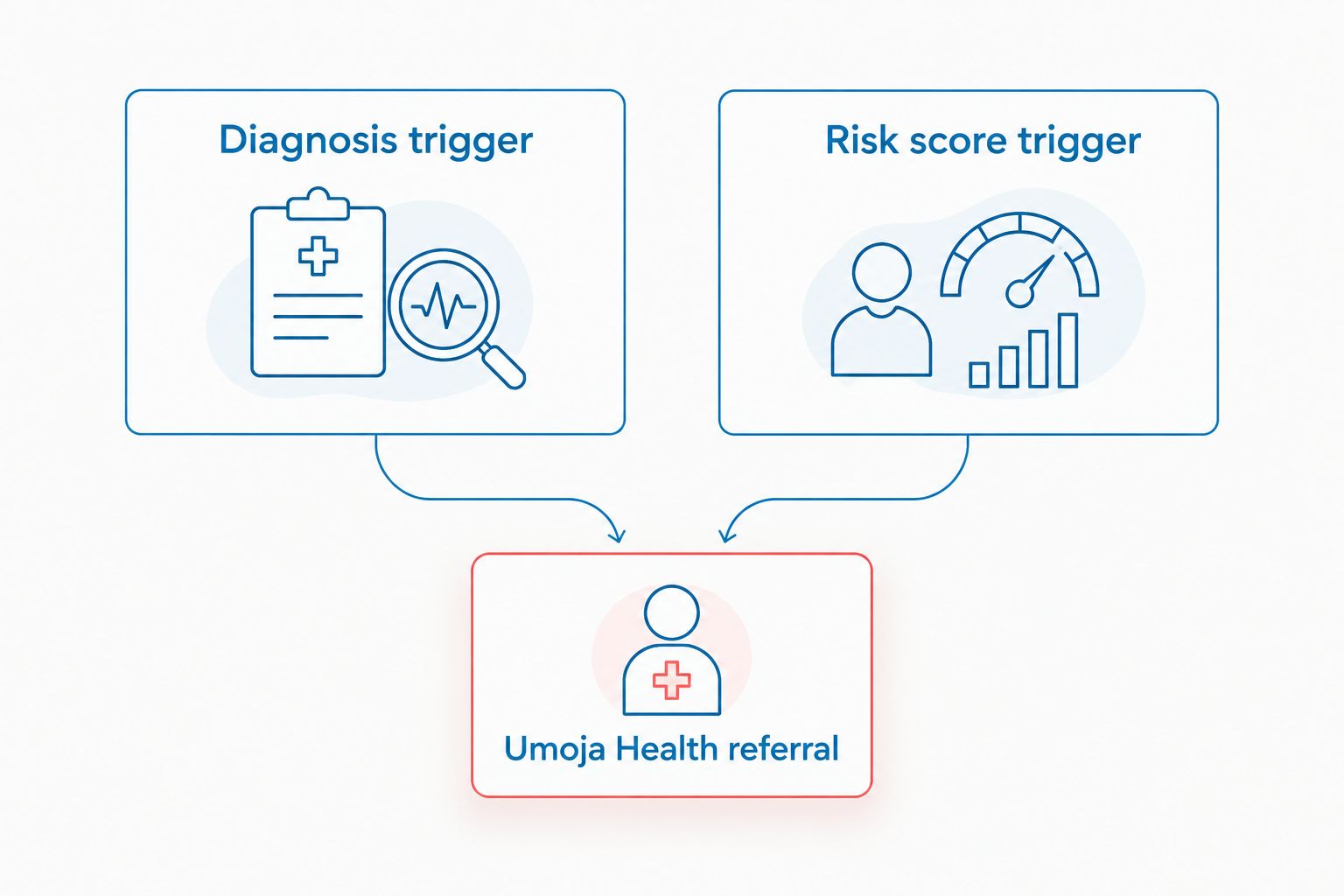
Diagnosis-based triggers miss patients who are food insecure but don't carry one of your listed codes. A second entry point — tied to a readmission risk score like LACE or the HOSPITAL score — catches them.
- Set a risk-score threshold with your readmission reduction team (commonly a cutoff already used for other post-discharge interventions).
- Add a second order-set trigger tied to that threshold, independent of the diagnosis list.
- Route both triggers to the same Umoja Health intake queue so case managers don't manage two separate workflows.
The two triggers run in parallel, not instead of each other — a high-risk patient without a qualifying diagnosis still gets caught.
Troubleshooting
- Trigger doesn't fire at discharge. Usually it's attached to the wrong signing event — check that it's tied to order signing, not discharge summary completion.
- Diet code mismatch bounces the referral back. A generic diet order doesn't match any meal plan. Narrow the order set's diet options to the finalized code list, not free text.
- Duplicate referrals for one patient. Two clinicians sign overlapping discharge orders and the trigger fires twice. Add a "referral already sent" flag that suppresses the second fire.
- Referral blocked at intake. The business associate agreement hasn't been signed or has lapsed. Confirm it's current before every rollout, not just the first one.
- Delivery falls outside the service area. Confirm coverage with Umoja Health's intake team during onboarding, before the automation goes live, not after the first failed delivery.
Build the discharge referral workflow
Route discharge referrals straight into medically tailored meal delivery.
Customize your workflow
Once the discharge trigger is stable, expand it. Home health agencies managing post-acute patients can run the same diagnosis-and-risk-score logic on their own referral intake rather than waiting for a hospital-side trigger. Health plans running CalAIM-style community supports benefits often need the enrollment side of this workflow mapped separately from the clinical trigger side — eligibility and clinical urgency don't always move on the same timeline. Case managers covering Medi-Cal populations specifically should check how their plan's medically tailored meals benefit maps to the same order-set logic before assuming one workflow covers every payer.
The pattern holds across all of it: trigger on a signed clinical event, map to a specific fulfillable plan, confirm delivery status back into the system of record. Build it once correctly and every additional population is a configuration change, not a new project.
FAQ
What is an automatic medically tailored meal order at hospital discharge?
It's a referral that fires automatically from a signed discharge order — flagging a qualifying diagnosis or diet code — and routes directly to a meal provider like Umoja Health without a case manager re-entering the referral by hand.
How do you automate meal referrals from an EHR discharge order?
Attach a trigger to your discharge order set that fires on order signing for specific diagnosis or diet codes, then route the output to your meal provider's intake queue with the required patient and delivery fields included.
What diagnoses typically qualify for medically tailored meals at discharge?
Congestive heart failure, chronic kidney disease, diabetes, and active oncology treatment are the most common triggers hospitals attach to discharge order sets in 2026, though the exact list depends on your nutrition team and payer coverage.
Can a readmission risk score trigger a meal referral instead of a diagnosis code?
Yes. A second trigger tied to a risk score like LACE or HOSPITAL catches food-insecure patients who don't carry one of the listed diagnosis codes, and it can run in parallel with the diagnosis-based trigger.
Does automating this referral require a new EHR module?
No — it typically uses the order set builder already inside Epic, Cerner, or an equivalent EHR. The work is configuring the trigger and intake routing, not installing new software.
How long does it take for meals to arrive after an automatic referral fires?
Delivery timing depends on the meal provider's service area and intake capacity — confirm the expected window with your provider during onboarding rather than assuming a fixed timeline.
What causes a meal referral to bounce back after the trigger fires?
The most common cause is a diet code on the order set that doesn't map to a fulfillable meal plan. Narrowing the order set to a pre-mapped code list fixes most bounce-backs.
Does this workflow work for Medicaid managed care members as well as Medicare?
The trigger logic is payer-agnostic, but coverage for the meals themselves depends on the specific plan's benefit design, so confirm eligibility mapping separately from the clinical trigger.
One last thing
Most hospitals build the diagnosis trigger first and stop there. The bigger gain in 2026 comes from pairing it with the risk-score trigger — a patient readmitted for a condition that never made your diagnosis list is exactly the patient a readmission-reduction program is trying to catch, and the risk score sees them even when the ICD-10 code doesn't.